


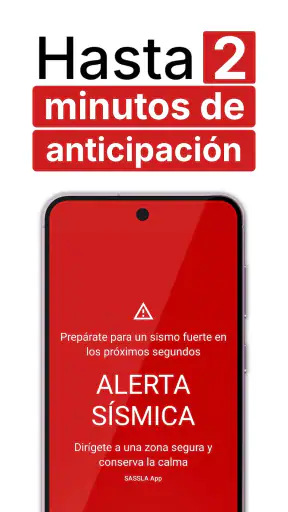
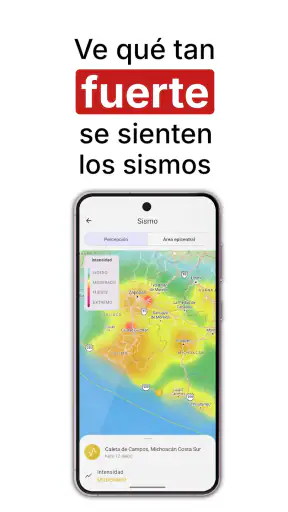
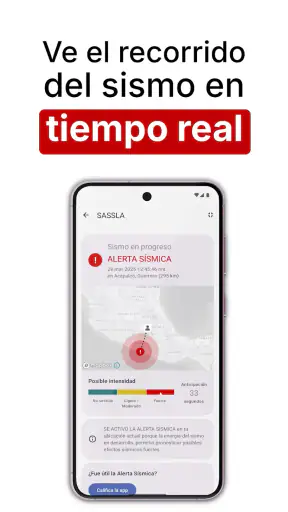
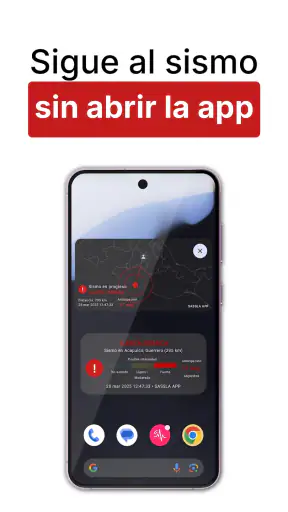
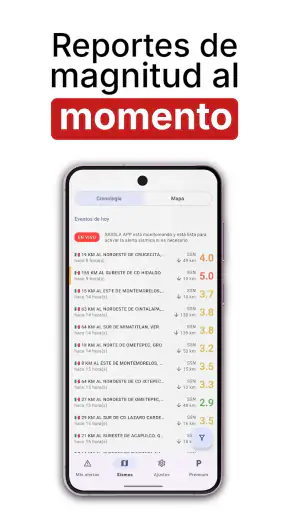
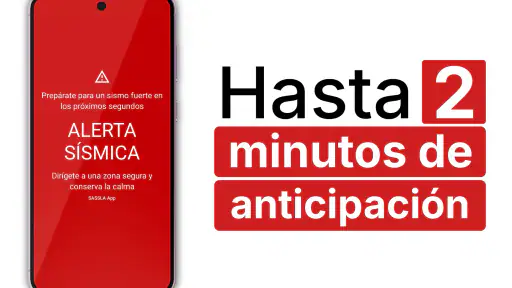
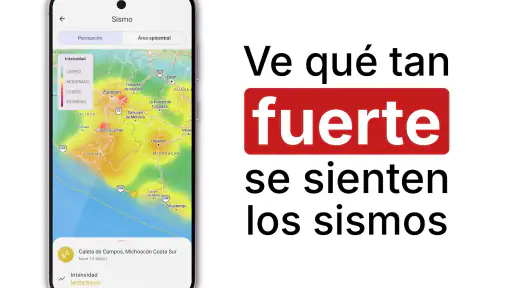
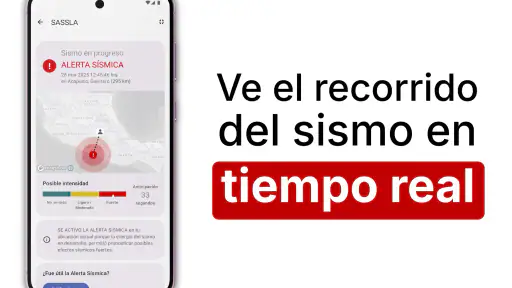
When I review an earthquake-warning app, I look beyond the promise of receiving an alert. The important questions are whether the app fits naturally into daily life, whether its controls are understandable, and whether I can make sensible choices about notifications and personal information. Alerta Sísmica México, developed by SASSLA México, is designed for a very specific need: giving people in Mexico an early warning when a strong earthquake is detected, potentially providing valuable time before intense shaking reaches them.
I find that focus reassuring. This is not a general news reader with an earthquake feature hidden among unrelated headlines. It belongs to the News & Magazines category, but its purpose is much more immediate and practical. The app is free to download, available for Everyone, and has reached more than five million installs. Its average rating is 4.8 from roughly 652 thousand ratings, which suggests that many people find the service useful in real situations. Still, a high rating should be a starting point rather than a reason to switch off my judgement, especially with an alert tool where timing, phone settings, and personal readiness all matter.
What the app is really for in everyday use
The clearest way to understand Alerta Sísmica México is as an extra layer of preparation, not as a replacement for emergency habits. The central benefit is the possibility of receiving an earthquake warning up to two minutes before a strong earthquake. That window can be extremely meaningful: I might move away from a window, stop using an elevator, get under a sturdy desk, or help a child, older relative, or pet reach a safer position.
Two minutes sounds generous, but it should not be interpreted as a guaranteed countdown before every earthquake. The practical value depends on the event, the phone’s ability to receive the alert, the surrounding conditions, and how far away the strongest shaking is. An alert may arrive with less time, and an earthquake can happen without a useful warning for a particular location. I would therefore treat the app as a prompt to act quickly, not as permission to wait for a notification before taking safety precautions.
A realistic daily scenario is easy to imagine. I am working from home with headphones on, while a family member is in another room. A warning gives me a chance to remove the headphones, call out, move away from shelves, and check that everyone knows where to go. In an office, the same alert could encourage people to stop crowding stairways or elevators and follow the building’s established procedure. The app is most valuable when it supports a plan that I have already discussed, rather than when I am trying to invent one during the first seconds of shaking.
It is also useful for people who spend time in different places across Mexico. Someone who commutes, studies in a large building, or regularly visits relatives may appreciate having a warning tool on the same phone they carry everywhere. That convenience is more practical than relying only on a television broadcast, a social-media post, or a message from another person, all of which may be slower or unavailable when attention is already divided.
Why the developer and adoption matter, but do not settle everything
SASSLA México is clearly associated with the app, and the large install base gives me some confidence that this is an established service rather than a short-lived experiment. The release date of December 21, 2017 also shows that it has been available for several years. The current version is 8.1.0r3-public, and the app supports Android 6.0 and later, making it accessible to many older devices as well as newer phones.
Those details help answer a practical question: is this app aimed only at people with recent, expensive hardware? No. The minimum operating system is relatively broad, so users with an older Android phone may still be able to install it. That said, operating-system compatibility is not the same as guaranteed alert performance. An older phone with aggressive battery saving, weak connectivity, muted notifications, or unreliable background activity may not behave like a newer, well-maintained device.
I would also avoid reading the rating as proof that every alert arrives perfectly for every user. Ratings reflect personal experiences, device setups, locations, and expectations. They are useful evidence of broad satisfaction, but emergency-related apps deserve a more careful standard: I want to know what I can control, what the app asks me to do, and how I will respond if the phone is unavailable.
Controls I would check before trusting the alert
My first setup step would be to inspect the app’s notification permissions and Android’s notification settings together. Allowing an app to send alerts is not always enough. A phone may separately limit sound, vibration, lock-screen visibility, background activity, or battery use. I would check that notifications are allowed, that the chosen sound is noticeable, and that a bedtime or focus mode is not silently suppressing urgent messages.
This is especially important for people who keep their phone on silent at work or use a smartwatch, headphones, or a car connection. I would not assume that an alert will be heard through every accessory. Instead, I would test my own routine by reviewing the phone’s notification behavior and keeping the device somewhere I can notice it. The best setting is not necessarily the loudest one; it is the one that gets my attention without encouraging me to dismiss every warning automatically.
Battery management deserves similar attention. Many Android phones place rarely opened apps into a restricted background state. If I install Alerta Sísmica México and then never open it again, the operating system may treat it differently from an app I use frequently. I would look for the app in the phone’s battery settings and make sure its background behavior matches the alert purpose. I would not change every battery setting blindly, but I would understand the trade-off: stronger background availability can mean more battery management decisions for me.
Another useful habit is to revisit the setup after a major Android update, changing phones, enabling a new focus mode, or installing a battery-optimization tool. These changes can alter notification behavior without making the problem obvious. An earthquake-warning app should be part of my phone-check routine, much like confirming that emergency contacts and location services behave as expected.
Trust is also about what I can see and choose
Because this app deals with an urgent situation, I pay attention to visible choices rather than making assumptions about invisible data practices. I would read the permissions and privacy information shown during installation and inside the app, noting which requests are necessary for the experience and which are optional. If the app presents a choice about notifications, location, account access, or other personal information, I prefer to make that decision deliberately instead of tapping through the setup screens.
This approach is useful even when I am eager to activate the warning service. Emergency tools can create a strong temptation to accept every request immediately. Taking a minute to inspect the wording gives me a clearer understanding of what I am enabling. I would also review account controls if the app offers them, including any sign-in, profile, subscription, or communication settings that appear on my device. Trust should come from visible controls and informed choices, not from urgency alone.
The app includes in-app purchases priced from $2.99 to $34.99 per item. Since the basic app is free, I would pay close attention to any upgrade screen and identify exactly what an optional purchase changes before confirming it. I would also check whether a purchase is recurring or one-time if that information is presented during checkout, and I would use the operating system’s purchase controls to prevent accidental taps, particularly on a family-shared device.
This is not a criticism of offering paid extras. Maintaining an alert service can involve costs, and optional purchases may suit some users. My concern is simply that an emergency-oriented app should make the difference between essential access and optional features easy to understand. If a paid prompt appears when I am trying to configure notifications, I would slow down and separate the safety setup from the buying decision.
Privacy-sensitive moments during installation and use
The most sensitive moment is usually the first launch, when an app may present permissions, account requests, or explanations of how it works. I would read each screen carefully and avoid granting access that I do not understand. If a permission is optional, I would decide based on how I intend to use the app. If refusing it limits a feature I consider important, I would weigh that limitation against my privacy preference instead of accepting automatically.
I would apply the same care when the app asks for information later. A warning service may need certain technical or regional context to be useful, but I would rely on the app’s own visible explanations rather than guessing what a request means. Android’s permission manager is also worth checking after installation because it gives me a second place to review and adjust choices. If I change my mind, I can revisit those settings instead of assuming that the first decision is permanent.
Notifications themselves can expose sensitive information in shared spaces. If my phone displays alert text on the lock screen, another person nearby may see it. That may be acceptable in a household, but not everyone wants detailed messages visible in an office, classroom, or public setting. I would review lock-screen notification options and choose a balance between quick access and privacy. This is a small but often overlooked decision that matters more for urgent alerts than for ordinary app messages.
I would also be careful with third-party tools that claim to improve or amplify alerts. Installing an unofficial companion, cleaner, booster, or notification manager can introduce additional privacy and reliability questions. My preference would be to configure the official app and the phone’s own settings first, then avoid adding another layer unless I understand precisely what it does.
How it compares with ordinary alternatives
The usual alternatives are not interchangeable. Television and radio can provide broader public information, but they require me to be watching or listening at the right moment. Social networks can spread eyewitness reports quickly, yet they can also mix useful updates with speculation and duplicate posts. Messaging groups are valuable for checking on family members, but they depend on someone noticing the event and writing first. A dedicated warning app has a different role: it is meant to reach me directly before or around the beginning of strong shaking, rather than after a conversation has started.
Built-in phone emergency notifications may also be useful, and I would keep them enabled where appropriate. They are part of the operating system’s broader safety framework, while Alerta Sísmica México is focused specifically on Mexico’s earthquake-warning use case. Using both can provide layered coverage, but it also means I should understand which sound, vibration, or banner belongs to which service. If several alerts arrive close together, a simple household plan prevents confusion.
On the other hand, someone who wants a general earthquake information dashboard, worldwide monitoring, or extensive educational content may prefer a broader disaster-information app. Alerta Sísmica México is more compelling when the priority is a focused warning experience for people in Mexico. I would not choose it as my only source for evacuation routes, shelter information, weather hazards, or international travel emergencies unless those needs are covered elsewhere.
Small habits that make the warning more useful
First, I would decide in advance what I will do when an alert arrives. The correct response depends on the building and local guidance, but the general principle is to act immediately rather than spend the warning window searching online. I would identify a safer position away from glass and unsecured objects, learn the building’s procedure, and avoid turning an alert into a rush toward an elevator or exit.
Second, I would tell the people around me that I use the app and agree on a simple communication plan. During a strong earthquake, calling everyone may be difficult or unnecessary. A predetermined meeting point and a short message plan can reduce repeated calls. This is a benefit the app cannot create by itself, but its warning can give a household the moment needed to put that plan into action.
Third, I would review the app after moving to a new home, changing workplaces, or replacing my phone. The physical environment changes what a warning means. A safe position in a small apartment may not be the same as one in a school, warehouse, or high-rise office. The app can alert me, but it cannot judge which object near me is likely to fall or which route my building manager recommends.
Finally, I would avoid treating a quiet phone as proof that nothing is happening. No alert system should replace awareness of shaking, official instructions, or common-sense precautions. Connectivity, power, device settings, and the nature of an earthquake can all affect the experience. The strongest setup is layered: this app, the phone’s safety settings, a household plan, and attention to local authorities.
Who should install it, and who may want another tool
I think Alerta Sísmica México is a strong fit for people living in Mexico who want a dedicated earthquake-warning tool and are willing to spend a few minutes checking Android permissions, battery behavior, and notification visibility. It is particularly sensible for households with children, older adults, or anyone who works in a busy environment where a direct warning could prompt a safer action. The free entry point also makes it easy to try without committing to a purchase.
I would be more cautious about recommending it to someone who expects a guaranteed warning for every earthquake, a complete emergency-management platform, or a substitute for official instructions. It is also not the right answer for a person who will keep notifications blocked, restrict background activity without checking the consequences, or ignore setup because the app is installed. In those cases, a different tool may be better, or the person may need to improve their phone habits before relying on any alert service.
People outside Mexico should also think carefully about relevance. The app’s identity and short description are specifically tied to Mexico, so a traveler or resident in another country may need a local warning service designed for that region. Installing it while abroad does not automatically turn it into a worldwide earthquake solution.
My cautious verdict after weighing usefulness and control
My overall view is positive, but deliberately practical. Alerta Sísmica México offers a focused reason to exist, a broad Android compatibility range, and a free way to add earthquake warnings to a personal safety routine. Its large audience and strong average rating make it worth considering, while the long availability of the service adds useful context. The real value, however, comes only after I configure the phone properly and understand what the warning can and cannot do.
I would install it for the possibility of gaining precious preparation time, then immediately review notifications, battery settings, lock-screen exposure, permissions, and any account or purchase choices shown on my device. I would keep the app alongside—not instead of—official guidance, building procedures, and a family plan. The optional purchases mean I would read upgrade screens carefully, but they do not change my assessment of the free starting point.
My recommendation is to use it as one carefully configured layer of earthquake preparedness. If you live in Mexico and want a direct, specialized warning app, it deserves a place on your shortlist. Just do not mistake installation for preparation: the app can give me a chance to respond, while my settings, surroundings, and decisions determine whether I can actually use that chance well.


